
Using AllStar
If you are outside the K6SAC repeater coverage area, hams are still able to use the repeater by acccessing it through the AllStar network. The K6SAC repeater is connected via the internet full-time to the AllStar Network, and is designated as node number 68377.
AllStar enables amateur radio operators to use the Capital Radio Club K6SAC repeater through an app on their phone or computer. The iPhone app is called "RepeaterPhone", the app on an Android is "DVSwitch Mobile", and with a Windows Computer it's called Web Transceiver. The phone app has a one-time cost of less than $10. Other optional ways to access the AllStar system is by purchasing a ClearNode device from Node-Ventures, or an M1KE device from SharkRF. A downside of the ClearNode and M1KE are their hefty price tags of about $400. M1KE No matter the method used, a reliable internet connection is needed through your cell phone or home wifi. Here are the directions on how to use AllStar:
1. Create an AllStarLink Account:
Before using the app on your Cell Phone app, you first need to get an AllStarLink login and node number. Here are the steps on how to do so...
- If you do not already have a copy of your ham license, Obtain a Copy
- Register yourself on the AllStarLink website using this link: Begin Registration.
- Enter your:
- Enter your name
- Choose a Password
- Enter your Call-Sign and contact information using the address on your FCC license
- Upload a copy of your Amateur Radio License
Submit the form and wait for approval (usually 1-24 hours).
2. If using an iPhone
- On your phone find and install the app "RepeaterPhone"
- Open the app and enter your login information.
- In the Directory, search for “Capital Radio Club K6SAC node 68377”
- Mark the K6SAC Node 68377 as a Favorite by “clicking on the Star” next to its name
- Tap "Connect" to access the node.
- Reduce the mic gain setting in your app to prevent distortion.
- To transmit hold down the Green PTT button while talking
3. If using an Android
- On your phone find and install the app "DVSwitch Mobile"
- Open the app then
- Tap More
- Tap AllStarLink
- Tap WT Setup
- Enter:
- Your CallSign
- Your AllStarLink password
- Tap “Update Token” | DVSwitch should confirm Login Successful.
- Tap More → AllStarLink → Enter WT Mode
- Open the app → go to the Dialer screen
* The dialer should now show ASL‑WT mode.
-
Connect to a node by entering node number: 68377 at the top of the dialer,
* Tap Connect * That’s all you need for WT mode — no server configuration is required - Reduce the mic gain setting in your app to prevent distortion.
- Tap and hold down the PTT button to talk.
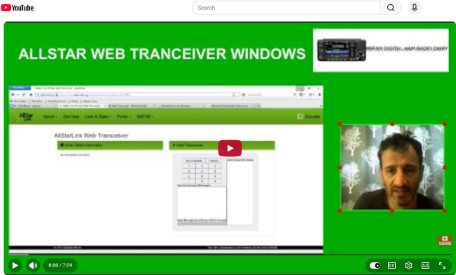
4. Web Transceiver
5. Bonus Info
- Node 68377 is not the K6SAC repeater itself, it is actually a “Conference Room” program running on a computer in the cloud. When you connect to the club's Node 68377 using an app on your phone you are actually connected to a party line that enables you to communicate with the users of other devices connected to the club's conference room. One of the devices connected to the room is a ClearNode device with the identifier 510732/N6BUM, and it is connected via the internet full time. Picture the ClearNode as a Handy Talkie which has internet capabilities, because that is essentially what it is. This Handy Talkie (HT) sits about 50 feet away from the repeater and it bridges the chatter happening in the conference room to the chatter happening on the repeater. When you use the AllStar app on your phone you are remotely operating the Handy Talkie (node 510732) and using it to communicate over RF with the k6SAC repeater.
- Every device on the AllStar Network is assigned a unique Node Number as an identifier. Some of the nodes are Conference Rooms (Hubs), some are Cell Phones running apps, some are Repeaters, and some are ClearNodes. Most of the devices on the network do not allow users to connect directly to them.
- On the k6sac.org website, under the “Radio” drop down menu, is an option that enables you to view the Status of the Club's AllStar Conference Room (68377). The status page enables you to see if the club's Conference Room is operational, and what other nodes, users, and repeaters are currently connected to the Capital Radio Club's AllStar Conference Room.
- A word about ClearNodes... They consist of are a Raspberry Pi mini computer with a small low-wattage radio transceiver board (hat) attached. The club's ClearNode connects to the internet over a WiFi connection, and then uses it's transceiver to transmit and receive 2-meter signals between it and the nearby club repeater just like any other radio would do. Used a bit differently, many hams buy ClearNodes to act more like a personal repeater while on the road. Instead of using an app on their cell phone to connect to the AllStar Network, these Hams use their analog FM transceiver to communicate over RF to their ClearNode and then configure their ClearNode to connect to the internet over WiFi (often using their phone as a hot-spot), and will then send DTMF commands to the ClearNode to connect to various AllStar repeaters and Hubs.